
Every claim has a source
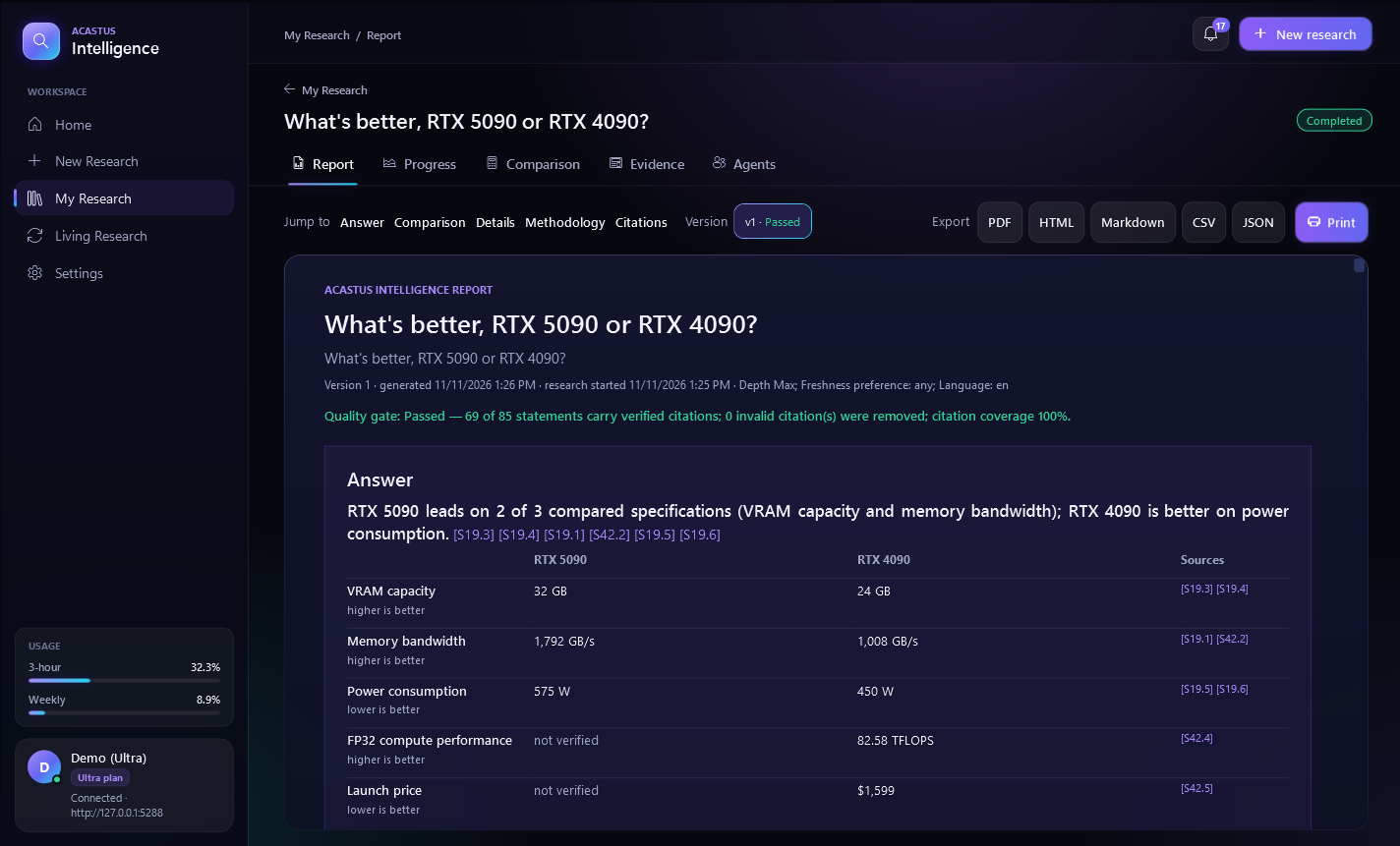
Each finding links to the excerpt it came from. Citations are re-checked against the stored source text before a report is published; anything that can't be traced is removed or marked unverified.
Ask a question. Acastus Intelligence plans the research, finds sources, reads them, checks every fact against the original text and writes a report where every statement links to its source.
When the evidence doesn't settle something, the report says so instead of guessing.
Type a question, or add what to compare and what matters to you. Pick an effort level from Quick to Max.
Planner, search, reader, fact-checker and writer agents find sources, read them and keep only facts that match the original text.
A direct answer with a comparison table, tradeoffs and what is still uncertain. Click any citation to see the exact excerpt.
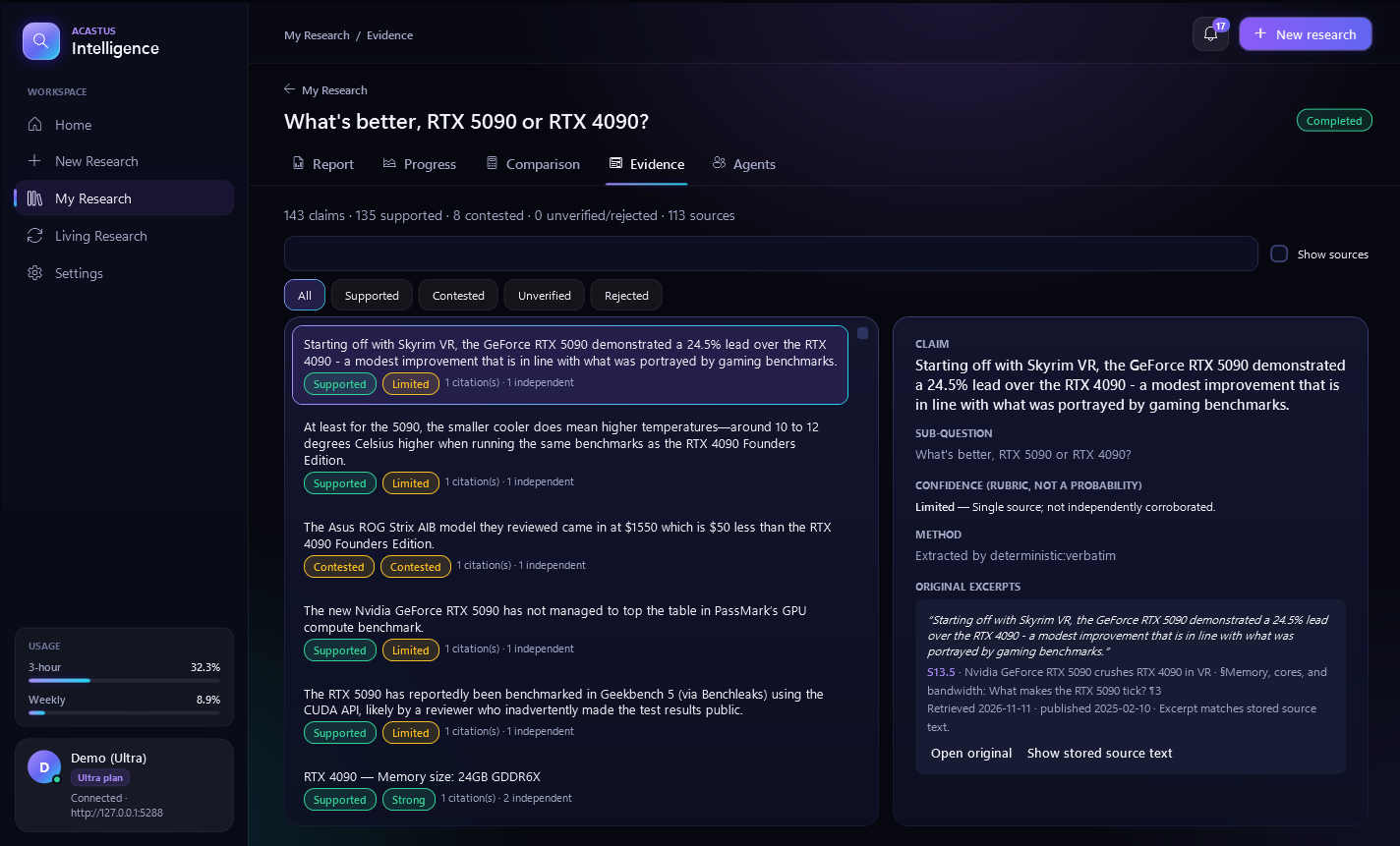
Each finding links to the excerpt it came from. Citations are re-checked against the stored source text before a report is published; anything that can't be traced is removed or marked unverified.
Reports open with a direct answer, a side-by-side table, the tradeoffs and what couldn't be verified. A report that only lists evidence is never rated "useful".
Browse every claim with its confidence, how many independent sources back it, and conflicts between sources. Open the original page or the stored text.
Compare products, options or ideas on the criteria you choose, with weights you can change and the source behind every value.
Keep a topic up to date: scheduled re-checks find what changed and tell you, with a new report version you can compare to the last one.
Save reports as PDF, HTML or Markdown, and the evidence as CSV or JSON, with citations intact.
Every plan has every effort level.
A fast answer from a handful of strong sources.
A balanced report for most questions.
More sources, more cross-checking, more detail.
The most thorough research, for decisions that matter.
Usage is a rolling 3-hour limit plus a weekly limit, shown as percentages. Research counts only what it actually uses, and you can always start research while you have usage left; if you run out mid-way, it stops and keeps what it found.
$0
$6per month
$15per month
$30per month
Billed monthly by Stripe, cancel any time from your receipt email. Subscriptions open at launch.
Pick a plan above. Checkout is handled by Stripe.
It starts with ASTRIX-INTPLUS, ASTRIX-INTPRO or ASTRIX-INTULTRA.
In the app open Settings → Licence key, paste it and press Activate. One key works on one account. When a subscription ends, the account returns to Free and your reports stay readable.
The app checks for updates and installs them only after you say so. Every update is verified against its published SHA-256 checksum.
A chatbot answers from memory and can make things up. Acastus Intelligence reads real sources for every question and only keeps facts it can match to the original text. Each statement in the report links to the excerpt it came from.
You can start research whenever you have any usage left. If you run out while it runs, it stops and writes the report from what it already found. Usage frees up as the 3-hour window rolls on, and the weekly limit resets every Monday.
No. The Free plan has every effort level. Plus, Pro and Ultra give more usage and more at once; cancel any time and the account returns to Free.
No. Acastus Intelligence has its own keys (they start with ASTRIX-INT). Other Astrix keys don't unlock it, and Intelligence keys don't unlock other Astrix apps.
Sources can be wrong or out of date, and the report tells you how strongly each fact is backed: how many independent sources agree, and where they conflict. Anything it couldn't verify is listed, not hidden.
Research runs on the Acastus research server and your reports are stored with your account. You can export them, or export all of your data from Settings.
Looking for Acastus AI chat? Acastus AI · Use it in your browser